

This free DFMEA template is an Excel workbook laid out to the AIAG-VDA FMEA Handbook (2019): 29 columns in the order of the 7 steps, rating scales on their own sheet and an Action Priority formula that fills in as you rate. Below: what goes in each column, 6 filled rows from a brake caliper and the mistakes reviewers flag first. New to the method? Start with the DFMEA tutorial or the free DFMEA training.
Get the DFMEA template
A free Excel file: the AIAG-VDA 7-step form, with Action Priority worked out for you, an Instructions sheet and a rating guide.
The process twin: the PFMEA template. All templates in 1 place: FMEA templates.
What Is in the DFMEA Template
- FMEA sheet: the planning header (step 1) and 29 columns grouped as Structure, Function, Failure, Risk and Optimization.
- Action Priority formula: enter Severity, Occurrence and Detection and the AP cell shows High, Medium or Low from the AIAG-VDA table. The revised AP works the same way.
- Rating Scales sheet: the 1 to 10 Severity, Occurrence and Detection criteria for design FMEAs.
- How to use sheet: what each column is for, in the order you fill it in.
DFMEA Template Preview
The FMEA sheet as it looks with 2 rows filled in (a shortened view: the workbook has every column listed in the next section).
| Component | Function | Failure mode | Potential cause | S | O | D | AP |
|---|---|---|---|---|---|---|---|
| Piston seal | Prevent fluid leakage, retract piston on release | External leakage | Fluid incompatibility at high temperature | 9 | 3 | 5 | Medium |
| Piston seal | Prevent fluid leakage, retract piston on release | External leakage | Bore surface finish out of spec | 9 | 4 | 3 | High |
DFMEA Format: Column by Column
The AIAG-VDA DFMEA format follows the 7 steps from left to right. This is the DFMEA table the template uses, and what to write in each group.
| Step | Columns in the template | What to write |
|---|---|---|
| 1. Planning and preparation | Project name, team, date, revision, scope (header) | What is analyzed, why, by whom and by when |
| 2. Structure analysis | Item, Subsystem, Component | The system broken down to the level you analyze |
| 3. Function analysis | Function, Design requirement, Design characteristic | What each element must do, with a measurable requirement |
| 4. Failure analysis | Failure mode, Component effect, Item or system effect, End user effect, Potential cause, Cause category | How the function fails, what it does at each level, and the design reason it happens |
| 5. Risk analysis | Prevention controls, Detection controls, Special characteristic, Severity, Occurrence, Detection, Action Priority | The controls in place today, their ratings and the AP the formula returns |
| 6. Optimization | Recommended actions, Responsible person, Target date, Status, Action taken, Revised S, O, D and AP | Actions for High and Medium AP rows, then the ratings after the action |
| 7. Results documentation | Remarks or source | Where each row came from, for the review and the customer |
DFMEA Example: 6 Filled Rows
An example, not a reference: 6 rows from the brake caliper DFMEA in our automotive DFMEA example, which also shows the controls, the actions and the re-rating for each row.
| Component | Failure mode | End user effect | Potential cause | S | O | D | AP |
|---|---|---|---|---|---|---|---|
| Piston seal | External leakage | Reduced braking, brake failure | Fluid incompatibility at high temperature | 9 | 3 | 5 | Medium |
| Piston seal | External leakage | Reduced braking, brake failure | Bore surface finish out of spec | 9 | 4 | 3 | High |
| Piston seal | Insufficient rollback | Brake drag, pad wear, overheating | Seal groove geometry tolerance | 6 | 3 | 4 | Low |
| Caliper body | Crack under pressure | Sudden brake failure | Casting porosity in a high-stress region | 10 | 2 | 3 | Low |
| Dust boot | Tears during service | Piston corrosion, eventual seizure | Boot material too stiff at low temperature | 7 | 4 | 6 | Medium |
| EPB actuator interface | Torque slip under load | Vehicle rolls on an incline | Spline profile out of tolerance | 10 | 2 | 4 | Low |
How to Fill In the Template
- Fill the header first: scope, team and the boundary of the analysis.
- Build the structure columns before any failure mode. Each row belongs to 1 component.
- Write the function as a verb and a measurable requirement. The failure mode is that function not met.
- Rate Severity from the worst end user effect, Occurrence from the prevention control, Detection from the detection control.
- Read the Action Priority, not a product of the 3 ratings. Every High row needs an action, an owner and a date.
Common DFMEA Template Mistakes
- Process causes in a design FMEA. “Operator error” belongs in the PFMEA. A DFMEA cause is a design decision: geometry, material, tolerance.
- Controls that do not exist yet. List the controls the design has today. Planned tests go in the actions.
- RPN instead of Action Priority. The AIAG-VDA method ranks rows with AP. Keep RPN only where a customer still asks for it.
- No special characteristics. Mark them in the DFMEA so the PFMEA and control plan can carry them.
- Signed and forgotten. Test results, changes and field returns should move the ratings. A DFMEA that never changes is out of date.
When an Excel DFMEA Stops Working
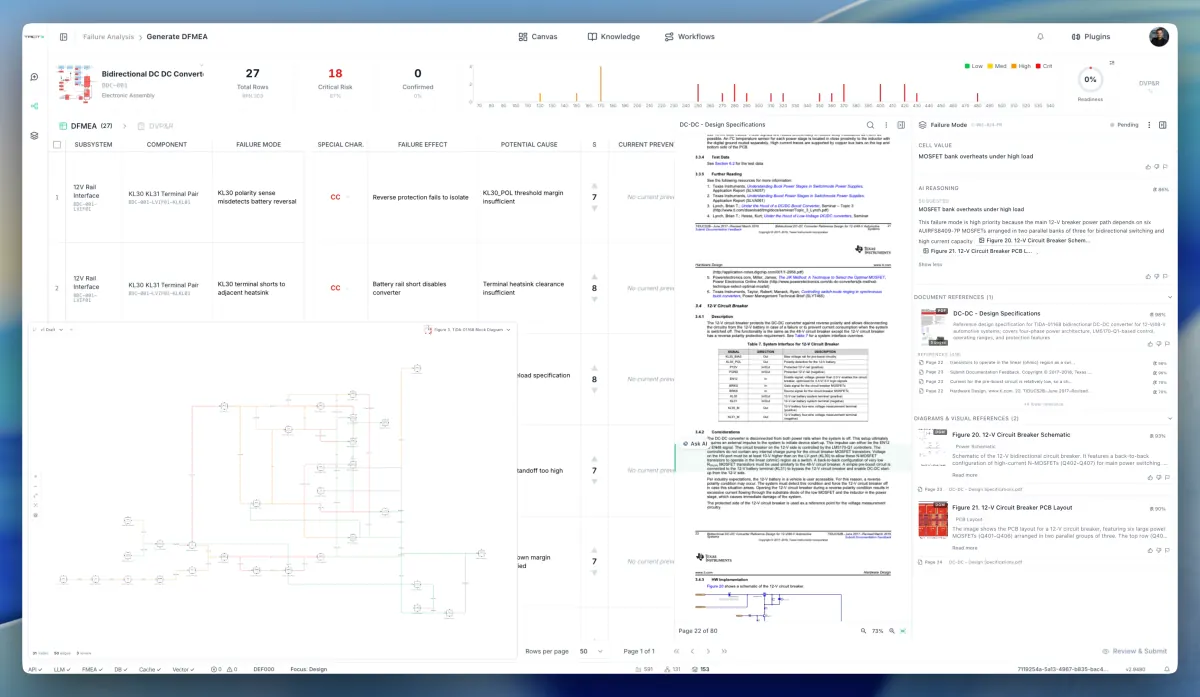
A template works for 1 part. Across programs it breaks down: copies drift apart, severities stop matching the PFMEA and nobody knows which file is the latest. Tacit AI is DFMEA software that builds the full DFMEA from your specs, drawings and test results, rated to AIAG-VDA Action Priority, with every row traced to its source. It builds the DVP&R from the DFMEA actions, carries special characteristics to the PFMEA and control plan, and keeps derived FMEAs in sync with their master. Your engineers approve every change.
Supplying an OEM? See our automotive FMEA software, or book a working session and bring 1 subsystem.
Frequently Asked Questions
What is a DFMEA template?
A DFMEA template is a worksheet with the columns a Design FMEA needs: structure, functions, failure modes, effects, causes, controls, Severity, Occurrence, Detection and the actions. This one follows the AIAG-VDA FMEA Handbook (2019) and works out Action Priority for you.
Is this DFMEA template free?
Yes. The Excel workbook is free to download and use on your own parts, including the rating scales and the Action Priority sheet.
What is the DFMEA format in AIAG-VDA?
The AIAG-VDA format follows the 7 steps from left to right: planning, structure, function, failure, risk, optimization and results documentation. The column table above maps every column of the template to its step.
What is the difference between a DFMEA and a PFMEA template?
A DFMEA template analyzes the product design: components, functions and design causes. A PFMEA template analyzes the manufacturing process: process steps, product and process characteristics, and causes grouped by 4M or 6M, with a link to the control plan. See the PFMEA template.
Can I use an Excel DFMEA for PPAP?
Many customers accept an AIAG-VDA DFMEA in Excel when the structure and ratings follow the handbook. Some OEM customer-specific requirements ask for FMEA software, foundation FMEAs and traceability, which an Excel file cannot show on its own.
Where can I learn to fill in a DFMEA?
Follow the DFMEA tutorial for the 7 steps, then the free DFMEA training with an exercise per step.