

ReliaSoft XFMEA Alternative: AI That Builds the FMEA and FMECA From Your Documents and Work Orders
ReliaSoft XFMEA is the FMEA tool many reliability engineers learned on, part of HBK’s ReliaSoft family next to Weibull++ and the other life data tools. It is thorough. The analysis is still typed by the team, and the work order history that should drive occurrence ratings lives in another system.
Tacit AI builds the full FMEA, FMECA and control plan from your own specs, drawings, manuals, test results and work orders, every row traced to its source. Your engineers review and approve. It is used by global engineering teams at automotive OEMs, Tier 1 suppliers and asset-heavy operators.
The short version
- XFMEA covers design, system and process FMEAs, FMECA, DVP&R, DRBFM and control plans.
- ReliaSoft Cloud adds AI brainstorming suggestions while you add records. Tacit AI builds the whole FMEA from your evidence.
- A global mining operator built its crusher FMECA 8.4x faster with Tacit AI.
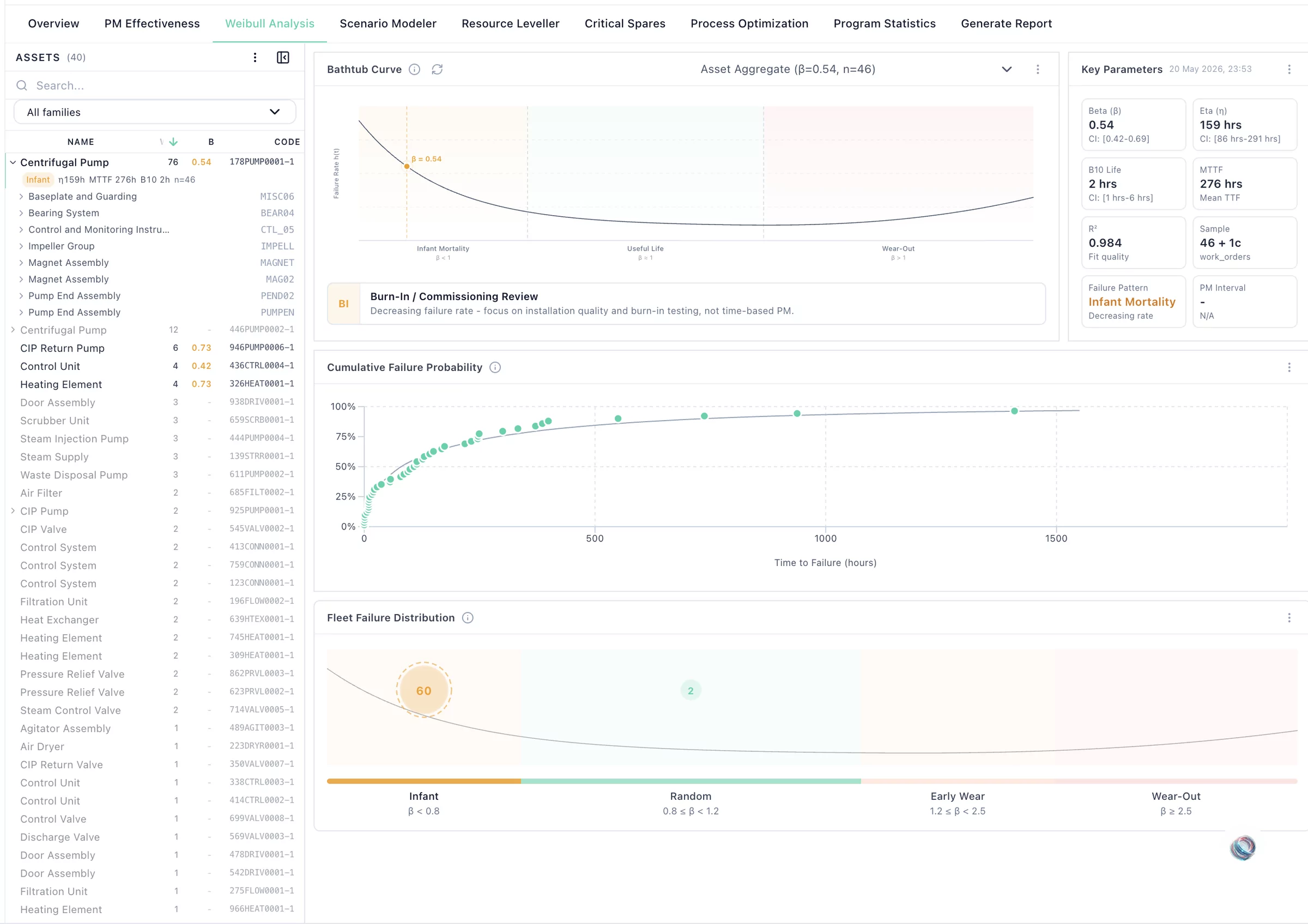
- Keep ReliaSoft for life data analysis. Your FMEAs come in from XFMEA, nothing has to move.
What ReliaSoft XFMEA Does Well
- Every FMEA type. Design, system and process FMEAs and FMECA, with P-diagrams, DVP&Rs, DRBFMs, process flow diagrams and process control plans (HBK overview).
- AIAG-VDA with MSR. FMEA-MSR since version 2023, with an AIAG & VDA DFMEA profile (ReliaSoft help).
- The ReliaSoft family. FMEA next to the life data and reliability tools many teams already run.
- Enterprise databases. A Windows desktop app on Access, SQL Server or Oracle (XFMEA 2026 first steps).
What the AI Does
Desktop XFMEA names no AI. ReliaSoft Cloud, the web version, adds “brainstorming assistance powered by AI” and leverages knowledge across FMEAs (HBK, February 2025). The assistant suggests records while you add them and favors descriptions from similar FMEAs in your site.
Brainstorming helps the team that is writing. Tacit AI does the writing from your evidence:
- Documents in, FMEA out. Manuals, specs, drawings and test results become functions, failure modes, causes and controls.
- Work orders as evidence. Every work order is scored, structured and linked to its failure mode, so occurrence comes from your own history.
- A source on every row. Each row opens the page or record behind it.
ReliaSoft XFMEA vs Tacit AI
| ReliaSoft XFMEA and Cloud | Tacit AI | |
|---|---|---|
| Who writes the FMEA | Your team | Tacit AI builds it, engineers approve |
| AI | Brainstorming suggestions (Cloud) | Builds the full FMEA, FMECA and control plan |
| Source per row | Not published | Every row traced to its source |
| Work orders | Not published | Linked to failure modes, ratings flagged |
| FMECA and RCM | FMECA | FMECA, RCM to SAE JA1011, tasks and work instructions |
| Deployment | Windows desktop, or Cloud | Cloud or on-premises, in the browser |
| Time to first FMEA | Not published | Days. Setup in hours |
How Tacit AI Builds the FMEA
- Connect. Manuals, specs, drawings, test results and work orders from SAP PM, Maximo, IFS or any CMMS. Your FMEAs come in from XFMEA as files. Setup in hours.
- Build. The FMEA or FMECA to your standard, every row traced to its source. The first one arrives in days, 80-90% engineer-ready on first delivery.
- Approve. Engineers review each row, and every decision is recorded.
- Keep up to date. New work orders, failure reports and 8Ds flag the rows they change, with the change proposed.
Keep ReliaSoft for What It Does Best
- Your FMEAs come in from XFMEA as files.
- Life data analysis and reliability prediction stay in ReliaSoft.
- Approved changes export to Excel, and maintenance tasks export in your CMMS’s field names.
Comparing FMEA tools?
Get the scorecard to rate any FMEA tool, yours included.
We email you the PDF. No newsletter. Privacy policy
Other Alternatives
Each comparison uses only the vendor’s own pages:
- Relyence FMEA alternative
- Windchill FMEA alternative
- Isograph alternative
- Best RCM and FMECA software, 8 tools compared
- Best FMEA software in 2026, all tools side by side
Bring 1 FMEA from XFMEA and a year of work orders for the same equipment. Book a working session and see which ratings the history already disagrees with.
Frequently Asked Questions
Is there an AI alternative to ReliaSoft XFMEA?
Yes. Tacit AI builds the full FMEA, FMECA and control plan from your own documents and work orders, every row traced to its source. ReliaSoft Cloud’s AI suggests records while your team writes.
Does XFMEA have AI?
Desktop XFMEA names no AI. ReliaSoft Cloud offers AI brainstorming suggestions that favor descriptions from similar FMEAs in your site.
Can Tacit AI import FMEAs from XFMEA?
Yes. FMEAs come in from XFMEA as files. Approved changes export to Excel.
Can Tacit AI use our work order history?
Yes. Work orders from SAP PM, Maximo, IFS or any CMMS are scored, structured and linked to failure modes, and ratings the history contradicts are flagged.
How fast is the first FMECA?
Setup takes hours. The first FMEA or FMECA is built in days, 80-90% engineer-ready on first delivery.
Sources
- ReliaSoft overview, HBK
- FMEA-MSR in XFMEA, HBK ReliaSoft help
- XFMEA 2026 first steps, HBK ReliaSoft
- ReliaSoft Cloud deep dive, HBK, February 2025